


How-to: Adjusting Projector Lenses


Thread Starter
|
BF Veteran
Joined: Feb 2007
Posts: 3,128
From: Princeton, NC, USA

 How-to: Adjusting Projector Lenses
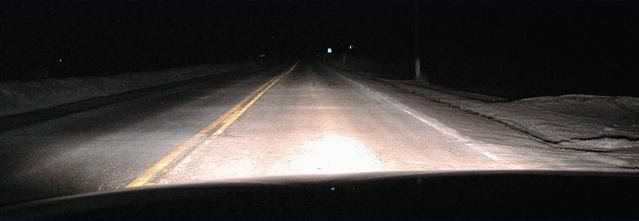
I've heard of a lot of people ditching thier projectors for HIDs or reverting to stock headlights because of the annoying line the projectors cast across your field of vision. (See Below)
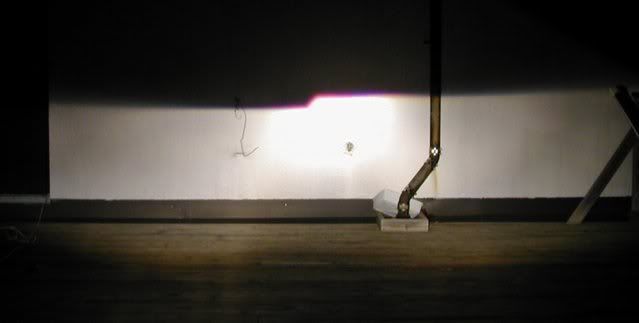
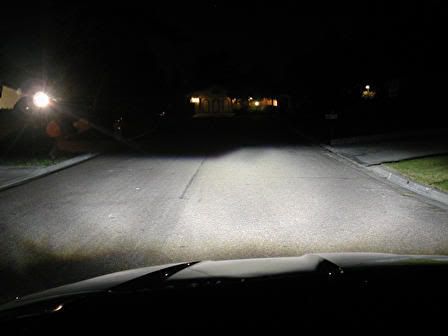
There is a way to do away with that and still keep your projector headlights.
Step 1.
Take off the projector assembly by taking out the screws.
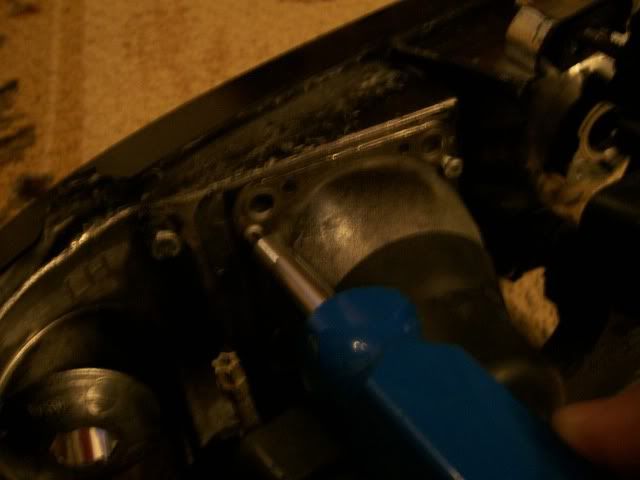
Step 2.
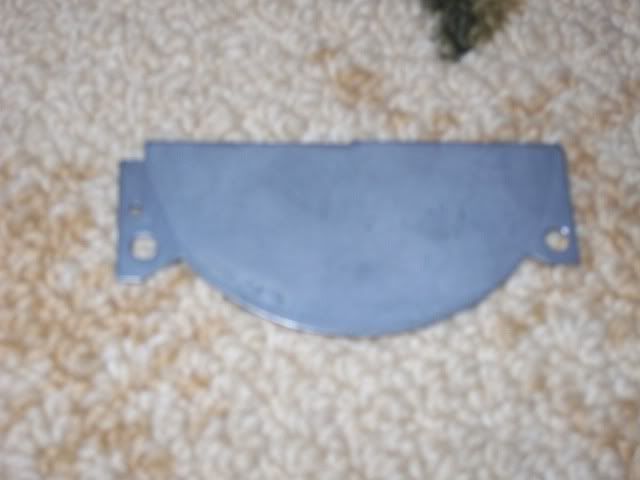
Take off the cast shutter plate. It should justlay in the groove, but it may be glued.
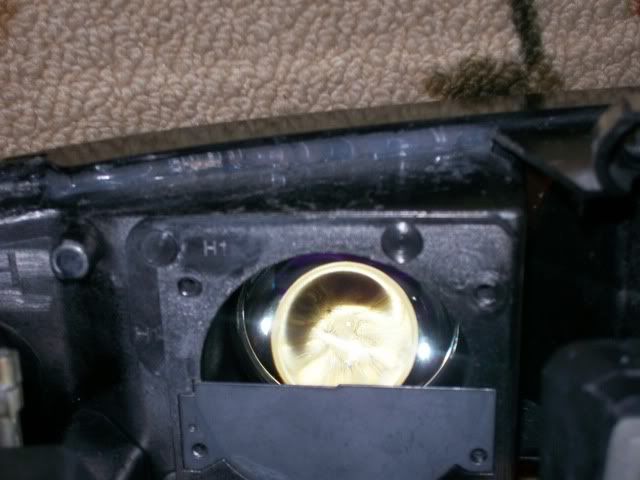
http://i159.photobucket.com/albums/t...o/101_0564.jpg
Step 3.
Replace the Projector making sure the gasket is in place.
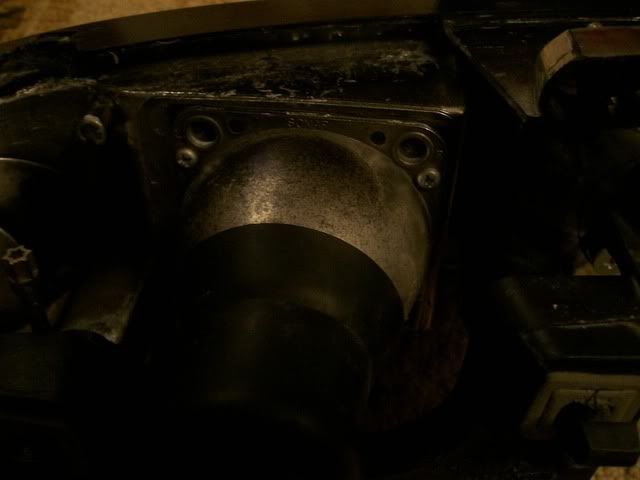
Now your beams should look something like this:
BEFORE:
AFTER:
There is a way to do away with that and still keep your projector headlights.
Step 1.
Take off the projector assembly by taking out the screws.
Step 2.
Take off the cast shutter plate. It should justlay in the groove, but it may be glued.
http://i159.photobucket.com/albums/t...o/101_0564.jpg
Step 3.
Replace the Projector making sure the gasket is in place.
Now your beams should look something like this:
BEFORE:
AFTER:

Thread Starter
|
BF Veteran
Joined: Feb 2007
Posts: 3,128
From: Princeton, NC, USA
RE: How-to: Adjusting Projector Lenses
Naw. Mine are the low-beams. It really doesn't make too much of a difference to oncoming traffic. Mom met me on the way home and I asked her if I was blinding her... she said no.
BTW... the before photo is one I found somewhere... its a S-10 with a Sonoma hood, but it has the same projectors.
BTW... the before photo is one I found somewhere... its a S-10 with a Sonoma hood, but it has the same projectors.
RE: How-to: Adjusting Projector Lenses
It looks like you have them adjusted low enough as to not be a problem, but the reason they are there is to keep them from blinding on coming traffic when the whole assembly is adjusted properly.
Thread Starter
|
BF Veteran
Joined: Feb 2007
Posts: 3,128
From: Princeton, NC, USA
RE: How-to: Adjusting Projector Lenses
Yeah, but that cutoff is annoying as heck! You really do have to adjust them fairly low to keep them from blinding, but the high beams bleed really high, so its not a problem either way.

Super Member
Joined: May 2007
Posts: 1,980
From: Appleton, WI / Houghton, MI
RE: How-to: Adjusting Projector Lenses
I wonder if you trimmed the peice you removed if you could make that line a little more curved and less harsh, but still block that upper portion that would be the worst for oncoming drivers. Which would pretty much move the cutoff line a lot further out. I got to say that is a wierd looking cutoff. My mom has a Mini Cooper S that has HID factory lights, the cutoff isnt bad at all on them, it seems like a normal cars' headlights, just a lot brighter and of HID quality.
Eurogold, I was wondering when you installed the HID's on the blazer. How did you go about doing it and is it that much of a difference from stock housings with like silverstars in them? If you could write something up on the install and where you got the parts, it would be greatly appriciated I am sure.
Eurogold, I was wondering when you installed the HID's on the blazer. How did you go about doing it and is it that much of a difference from stock housings with like silverstars in them? If you could write something up on the install and where you got the parts, it would be greatly appriciated I am sure.

BF Veteran
Joined: May 2007
Posts: 2,713
From: Chicago, IL
 RE: How-to: Adjusting Projector Lenses
do you have HID euro? i thought they were halogen bulbs in the projectors. it looks really white though.
lenny, i dont have projectors so im not sure what bulbs it uses but i do have HID bulbs. mine came with ballasts and bulbs with the ignitors on the bulb. i had to buy a seperate relay to redirect where they were getting their power from. other than that, its a fairly straightforward installation.
just in case you havent seen it, theres a fairly recent 6 page HID discussion with more info there
HALOGEN HID

lenny, i dont have projectors so im not sure what bulbs it uses but i do have HID bulbs. mine came with ballasts and bulbs with the ignitors on the bulb. i had to buy a seperate relay to redirect where they were getting their power from. other than that, its a fairly straightforward installation.
just in case you havent seen it, theres a fairly recent 6 page HID discussion with more info there
HALOGEN HID
Thread Starter
|
BF Veteran
Joined: Feb 2007
Posts: 3,128
From: Princeton, NC, USA
RE: How-to: Adjusting Projector Lenses
You could trim it, but if you have a jagged edge after you cut, or if you don'ttrim them both identically,you will end up with some crazy cutoffs!
My Projectors have H1s
I don't have HIDs currently, no... I have Raybrigs!!!!!
I had HIDs in the high beams last year. I took them off around the time I joined the forum...I had a plug and play kit that I found that was similarto the Envoy HIDs, but that was last year when I had the stock housings. Both the ballasts went out on me because I overused them with the DRLs. I didn't know anything about them then... lol Anyway I got them here: clicky Basically, you just plug them in and go...
I'm not gonna do a write-up unless I have some pics of me doing it. I might grab a kit sometime this summer when I have money and I'll do it then...
My Projectors have H1s
I don't have HIDs currently, no... I have Raybrigs!!!!!
I had HIDs in the high beams last year. I took them off around the time I joined the forum...I had a plug and play kit that I found that was similarto the Envoy HIDs, but that was last year when I had the stock housings. Both the ballasts went out on me because I overused them with the DRLs. I didn't know anything about them then... lol Anyway I got them here: clicky Basically, you just plug them in and go...
I'm not gonna do a write-up unless I have some pics of me doing it. I might grab a kit sometime this summer when I have money and I'll do it then...
Super Member
Joined: May 2007
Posts: 1,980
From: Appleton, WI / Houghton, MI
RE: How-to: Adjusting Projector Lenses
Yeah I have been looking into HID lights recently, but I think I am going to stick with the silverstars I have right now. Maybe next summer, or for sure in my next vehicle (hopefully a 2007 GMC Sierra Crew Cab Z71)