Blazer Forum - Chevy Blazer Forums
  • LOG IN
  • REGISTER
  • Forums
    • Announcements
      • Forum Notice
      • New Member Area
    • General
      • General Chat
      • The Lounge
      • Builds
      • Off Roading
      • Sights N Sounds
      • Street N Strip
      • The Chop Shop
      • Shows & Clubs
    • Mechanical & Maintenance
      • General Tech Help
      • Engine & Transmission
      • Lighting & Electrical
      • Steering, Suspension & Drivetrain
    • Modifications
      • Performance & Brainstorming
      • Tires and Wheels
      • Audio/Video Electronics
      • Paint, Body, & Interior
      • Suspension Tech
      • Detailing
    • Chevy Blazer Classifieds
      • Member Group And Special Buys
      • Absolutely Free!!!
      • PRIVATE For Sale / Trade Classifieds
      • Private 'Wanted' Classifieds
      • Online Auctions & Listings
    • The Site
      • Website Problems and Suggestions
  • Marketplace
    • Vendor Directory
    • Become a Vendor
  • New Posts
  • Tools
    • Car Payment Calculator
    • Tire Rim Calculator
    • Recalls
    • Technical Service Bulletins (TSBs)
    • Members List
    • Live Feed
  • Gallery
  • View Dark Mode
    • Please register or login to enable Dark Mode.
  • Log In
  • Register
Blazer Forum - Chevy Blazer Forums
    • Threads
      • Advanced
Dark Mode

Please register or login to enable Dark Mode.

Log In

Forgot your Password?

By logging into your account, you agree to our Terms of Use and Privacy Policy, and to the use of cookies as described therein.
  • Recent
  • Commented
  • Albums
  • My Pictures

Lockout Switch

BLAZINSTEIN
September 25, 2016
 8
 0
Description:
OK, so this album is for the driver's side master controls " lockout switch". You know, the one that makes sure the kids can't open and close the windows and locks from any passenger seat while, well,being a passenger.Before starting, just let me say, before soldering anything, test it in your door first so as to make sure the led will light .That's good advise for any of these LEDs that require soldering in.
Read more ยป
Sort:
Default
  • Default
  • Most Recent
Driver's master "Lockout Switch" for passenger windows and doors.
0 2016/09/25 17:32:49 BLAZINSTEI
The missing switch is the " lockout switch" and is the last one of these controls and probably the biggest pain to get it to look good. I decided to put a red led in it like the doors lock switch so I can tell whats what a little easier at night . Other than that most lights are going blue.
0 2016/09/25 17:32:49 BLAZINSTEI
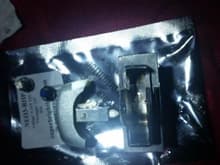
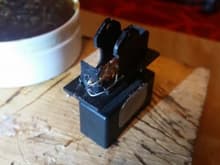
A quick side by side comparison shows the space problem with an led. A plug and play led will extend to far in and not be able to shine up into the transparent light-carrying plastic piece that allows the white portion to glow at night. Since there is such little space when the switch is clicked back to allow all door controls to function for passengers I opted to mount the led through the side to get  enough space to angle the led nicely .
A quick side by side comparison shows the space problem with an led. A plug and play led will extend to far in and not be able to shine up into the transparent light-carrying plastic piece that allows the white portion to glow at night. Since there is such little space when the switch is clicked back to allow all door controls to function for passengers I opted to mount the led through the side to get enough space to angle the led nicely .
0 2016/09/25 17:32:49 BLAZINSTEI
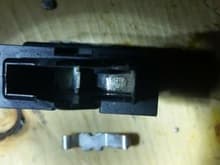
Using some alcohol on "q-tips", I cleaned 16 years of dirt out first then took my dremmel with a special flat sanding bit to clean this contact (which sits deep in the switch) until it shined.
0 2016/09/25 17:44:27 BLAZINSTEI
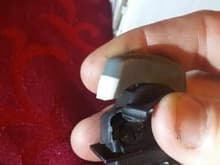
Taking apart the switche shows how there is a metal contact that rocks back and forth depending on the switch's position. Again, I opted to take the time and clean the contacts.
0 2016/09/25 17:44:27 BLAZINSTEI
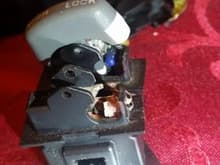
Here you can see the led sticking out a bit through the drilled out plastic . I tested the led first to determine positive and negative leg then wired accordingly.
0 2016/09/25 17:51:05 BLAZINSTEI
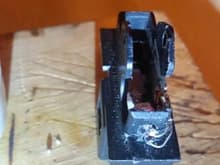
On this led, the leg with the brown resistor was negative? ( Before soldering it would be wise to test it in the door first to make sure of correct polarity for your led to light up on this one)and went to the closest metal contact. Then the other leg ran to the opposite metal contact. Made sure the legs would never make contact with each (avoiding a ground out) by first using a screwdriver to keep them as close and flush to the body and base as possible then after soldering them permanently into position ; I hot glued all around the metal legs so they wouldn't bump into each other,ever.
0 2016/09/25 17:54:01 BLAZINSTEI
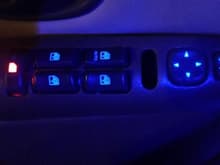
The final product! Yay! Finally finished. Good luck .Hope these albums and pics make things go easier for ya.
0 2016/09/25 18:05:37 BLAZINSTEI

Top
Blazer Forum - Chevy Blazer Forums
  • Contact Us
  • FAQ
  • Archive
  • Advertising
  • Cookie Policy
  • Privacy Statement
  • Terms of Service
  • Your Privacy Choices
  • Manage Preferences

© 2026 MH Sub I, LLC dba Internet Brands


When you click on links to various merchants on this site and make a purchase, this can result in this site earning a commission. Affiliate programs and affiliations include, but are not limited to, the eBay Partner Network.